Have you ever wanted to listen to music, but the absolute sheer terror of unlocking your phone, opening an app, and scrolling past endless algorithmically generated “Daily Mixes” was just too much to bear? Same.
Don’t get me wrong, we already conquered the airwaves with Project 25: DIY ESP32 Internet Radio. That build is fantastic if you want to listen to a 24/7 lo-fi hip hop stream until the heat death of the universe. But what if you want control? What if you want the tactile, satisfying feeling of slapping a physical object onto a box to make a specific album play, like a 1990s DJ aggressively dropping a CD onto a turntable?
Welcome to the ESP32 RFID Spotify Jukebox. We’re going to take some blank plastic cards, a microcontroller, and enough spaghetti code to feed a small Italian village, and turn them into a magical remote control for your Spotify account. Let’s release some magic blue smoke.
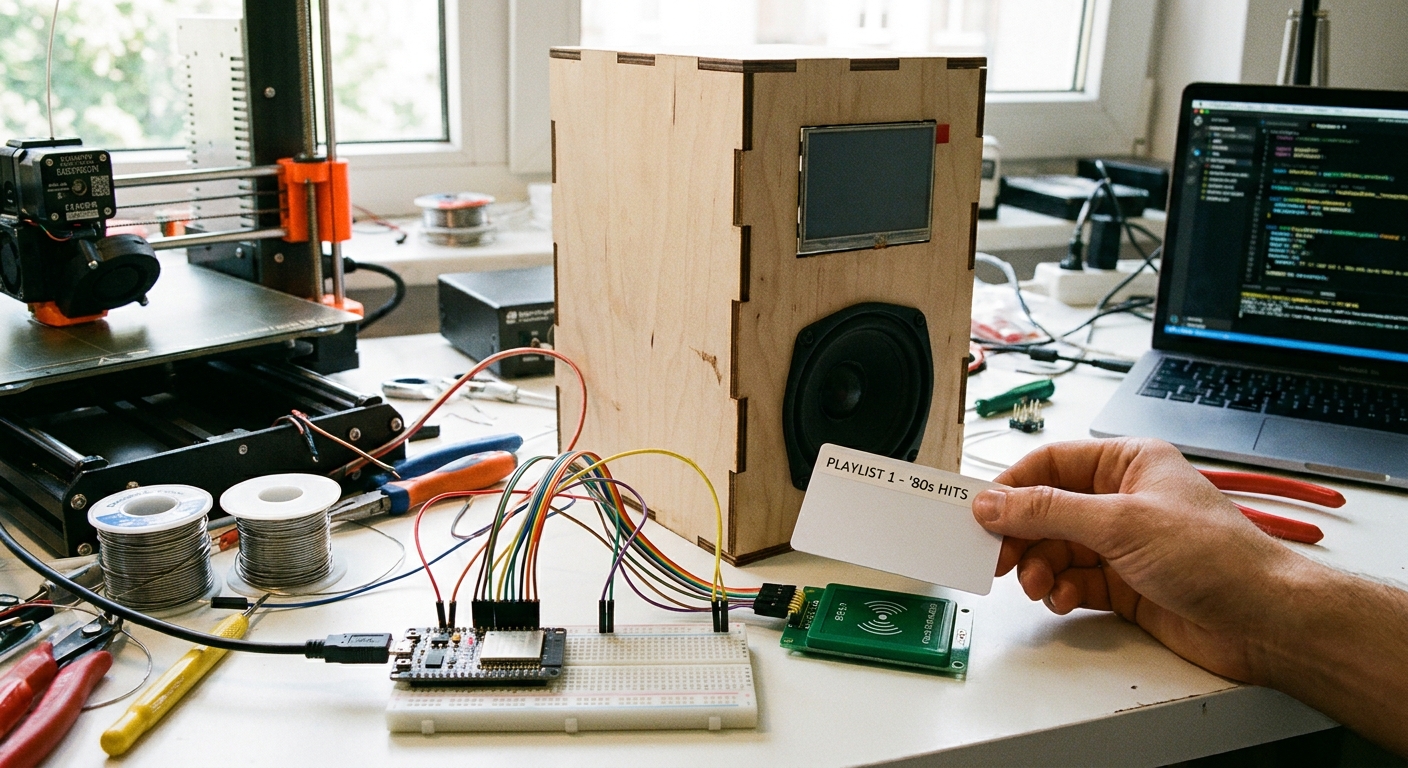
The Gear You Need
- ESP32 Development Board: The brains (and the Wi-Fi brawn) of the operation. Grab one here.
- RC522 RFID Module: The sensor that reads our magical plastic cards. Get the module here.
- Blank 13.56MHz RFID Cards: The “vinyl records” of our jukebox. Get a pack of them here.
- Jumper Wires & Breadboard: Standard prototyping gear.
(Need a refresher on how RFID works under the hood? Check out Lesson 136: Access Granted - Reading Smart Cards with RFID.)
Wiring It Up
The RC522 uses the SPI protocol to talk to our ESP32. If you need a refresher on deciphering these diagrams, head over to Lesson 110: Reading Schematics.
| RC522 Pin | ESP32 Pin | Note |
|---|---|---|
| 3.3V | 3V3 | DO NOT connect to 5V! You will fry the module! |
| RST | GPIO 22 | Reset pin |
| GND | GND | Ground |
| MISO | GPIO 19 | Master In Slave Out |
| MOSI | GPIO 23 | Master Out Slave In |
| SCK | GPIO 18 | Serial Clock |
| SDA (SS) | GPIO 21 | Slave Select |
The Code: Talking to Spotify
This project uses the Spotify Web API. Instead of the ESP32 playing the audio itself, it acts as a remote control. When an RFID card is scanned, the ESP32 sends a command to Spotify’s servers saying, “Hey, play this specific album on Dan’s living room Echo.”
(If you want to dive deeper into REST APIs and web requests, revisit Lesson 152: Fetching Live Web Data.)
Here is the core logic for the RFID trigger and the API request:
#include <SPI.h>
#include <MFRC522.h>
#include <WiFi.h>
#include <HTTPClient.h>

#define SS_PIN 21
#define RST_PIN 22

MFRC522 rfid(SS_PIN, RST_PIN);
const char* ssid = "YOUR_WIFI_SSID";
const char* password = "YOUR_WIFI_PASSWORD";
String spotifyToken = "YOUR_SPOTIFY_ACCESS_TOKEN"; // You'll need to generate this via the Spotify Developer Dashboard

void setup() {
  Serial.begin(115200);
  SPI.begin();
  rfid.PCD_Init();

  WiFi.begin(ssid, password);
  while (WiFi.status() != WL_CONNECTED) {
    delay(1000);
    Serial.println("Connecting to WiFi...");
  }
  Serial.println("Connected!");
}

void loop() {
  // Look for new cards
  if ( ! rfid.PCD_IsNewCardPresent()) return;
  if ( ! rfid.PCD_ReadCardSerial()) return;

  String cardUID = "";
  for (byte i = 0; i < rfid.uid.size; i++) {
    cardUID += String(rfid.uid.uidByte[i] < 0x10 ? "0" : "");
    cardUID += String(rfid.uid.uidByte[i], HEX);
  }

  Serial.println("Card Scanned: " + cardUID);

  // Map card UIDs to Spotify URIs
  if(cardUID == "a1b2c3d4") {
    playSpotifyURI("spotify:album:4aawyAB9vmqN3uQ7FjRGTy"); // Example: Cyndi Lauper - She's So Unusual
  } else if(cardUID == "e5f6g7h8") {
    playSpotifyURI("spotify:playlist:37i9dQZF1DXcBWIGoYBM5M"); // Example: Today's Top Hits
  }

  rfid.PICC_HaltA(); // Stop reading
  delay(2000); // Prevent double-swipes
}

void playSpotifyURI(String uri) {
  if(WiFi.status() == WL_CONNECTED){
    HTTPClient http;
    http.begin("https://api.spotify.com/v1/me/player/play");
    http.addHeader("Authorization", "Bearer " + spotifyToken);
    http.addHeader("Content-Type", "application/json");

    String payload = "{\"context_uri\":\"" + uri + "\"}";
    int httpResponseCode = http.PUT(payload);

    Serial.print("HTTP Response code: ");
    Serial.println(httpResponseCode);
    http.end();
  }
}
The Magic Step: Getting Your Spotify Token
The code above requires a spotifyToken. Because Spotify requires OAuth2 authentication, generating this token on a headless ESP32 is a massive headache. The easiest method for a personal project is to use the Spotify Developer Dashboard to generate a temporary token, or set up a small companion server (like a Raspberry Pi or a free Vercel function) to handle the token refresh logic.
Now go print some custom album art stickers for your RFID cards, slap them on the reader, and enjoy the physical sensation of starting a playlist!