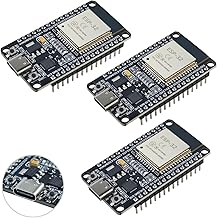
We’ve done cool things with the ESP32, but today we unlock its true superpower: complaining about the internet. What if your microcontroller could fetch live weather data, stock prices, or space station locations? Today, we connect our ESP32 to Wi-Fi and aggressively query public APIs until they give us data or ban our IP. Let’s parse some JSON!
What We’re Building
Here is what we are going to cover in this lesson:
- Connecting your ESP32 to your local Wi-Fi network.
- Making an HTTP GET request to a public API.
- Extracting the exact data we need using the amazing
ArduinoJsonlibrary. - Displaying the live data on the Serial Monitor.
The Magic of JSON and ArduinoJson
Most web APIs speak a language called JSON (JavaScript Object Notation). It’s incredibly readable for humans, but microcontrollers need a little help parsing it efficiently. That’s where the ArduinoJson library comes in.
First, make sure you’ve installed ArduinoJson from the Library Manager in the Arduino IDE.
Here is a quick snippet showing how we fetch and parse data using a simple public time API:
#include <WiFi.h>
#include <HTTPClient.h>
#include <ArduinoJson.h>

const char* ssid = "YOUR_WIFI_SSID";
const char* password = "YOUR_WIFI_PASSWORD";
const char* apiUrl = "http://worldtimeapi.org/api/timezone/America/Toronto";

void setup() {
  Serial.begin(115200);
  WiFi.begin(ssid, password);

  Serial.print("Connecting to Wi-Fi");
  while (WiFi.status() != WL_CONNECTED) {
    delay(500);
    Serial.print(".");
  }
  Serial.println("\nConnected!");

  fetchData();
}

void loop() {
  // We'll just fetch once in setup for this example
}

void fetchData() {
  if (WiFi.status() == WL_CONNECTED) {
    HTTPClient http;
    http.begin(apiUrl);

    int httpResponseCode = http.GET();

    if (httpResponseCode > 0) {
      String payload = http.getString();
      Serial.println("Data received. Parsing JSON...");

      // Allocate the JSON document
      // Use arduinojson.org/v6/assistant to compute the capacity.
      StaticJsonDocument<1024> doc;

      // Deserialize the JSON document
      DeserializationError error = deserializeJson(doc, payload);

      if (error) {
        Serial.print(F("deserializeJson() failed: "));
        Serial.println(error.f_str());
        return;
      }

      // Fetch values
      const char* datetime = doc["datetime"];

      Serial.print("Current Date and Time: ");
      Serial.println(datetime);

    } else {
      Serial.print("Error code: ");
      Serial.println(httpResponseCode);
    }

    http.end();
  }
}
Next Steps
Now that your ESP32 can talk to the internet, the possibilities are practically endless. You could trigger a relay when the weather forecast predicts freezing temperatures, or change an RGB LED strip’s color based on the current price of a stock.
Grab your board, plug in your Wi-Fi credentials, and give it a try!
Hardware You’ll Need
To follow along with this lesson, you’ll need the following components: