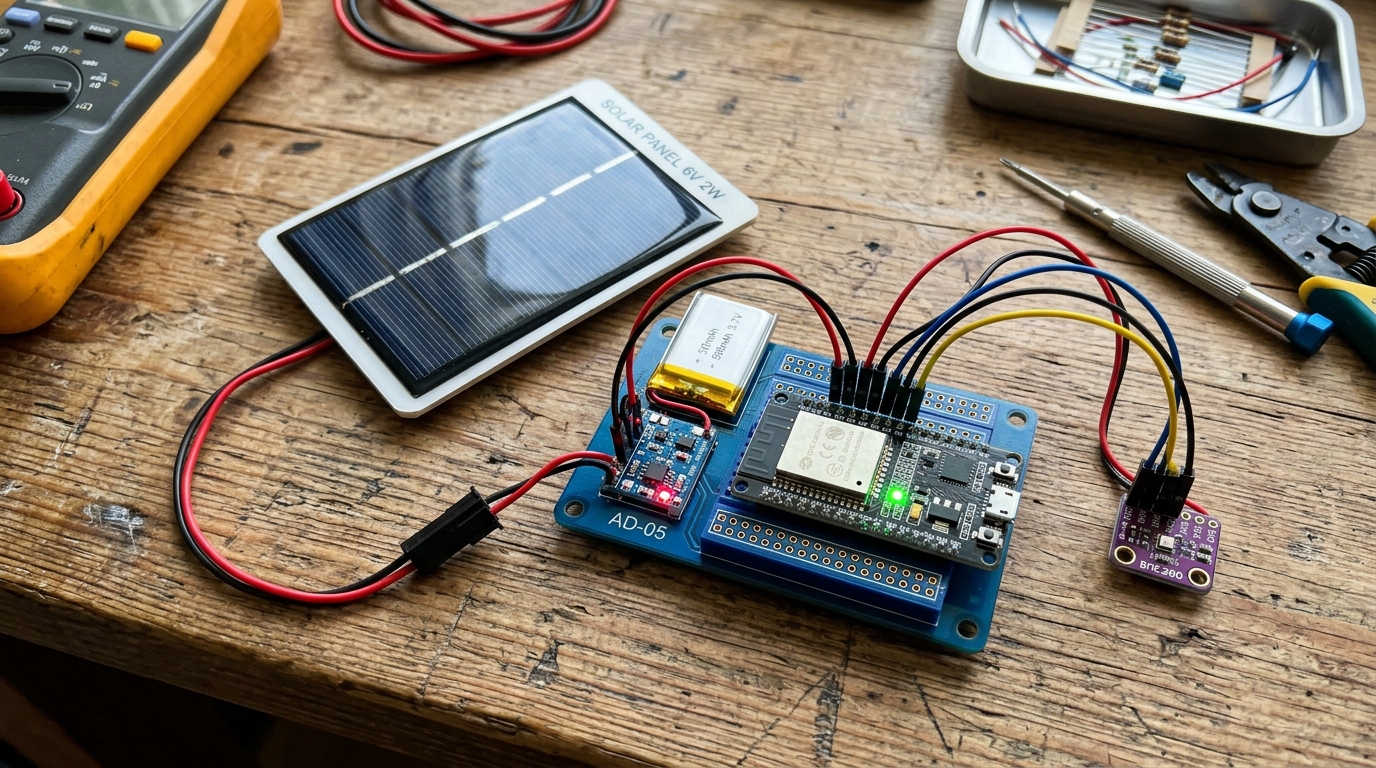
We’ve all been there. You build a magnificent IoT sensor node. You carefully wire up the BME280, you write the perfect code to send temperature data to your MQTT broker, and you proudly place it in the garden. Two days later… dead silence. You go outside, and your poor ESP32 is a brick because the tiny battery you gave it was sucked dry by WiFi transmissions. You replace the battery. Two days later… dead again. You are now officially a battery-swapping robot serving the whims of a demanding piece of silicon.
Let’s end the madness. Today, we achieve true independence. We are going to build the Infinite Solar-Powered Weather Node.
By combining deep sleep, a TP4056 charging module, and a small solar panel, we can harvest the sun’s energy to keep our ESP32 running indefinitely.
The Hardware You Need
To build this self-sustaining node, you’ll need:
- ESP32 Microcontroller: (We recommend a barebones board or a FireBeetle for lowest quiescent current).
- BME280 Sensor: For temperature, humidity, and barometric pressure.
- TP4056 Charging Module: Make sure you get the one with battery protection (it has OUT+ and OUT- pads).
- 6V Solar Panel: A small 1W or 2W panel is plenty.
- 18650 Li-Ion Battery & Holder: Or a standard 3.7V LiPo pouch cell.
- A Schottky Diode (e.g., 1N5819): To prevent reverse current from flowing back into the solar panel when it’s dark.
The Wiring: Power Flow
The trick to a solar node is managing the flow of power.
- Solar to TP4056: Connect the positive wire of the solar panel to the Anode (non-striped side) of the Schottky diode. Connect the Cathode (striped side) to the IN+ pad of the TP4056. Connect the solar panel’s ground to the IN- pad.
- TP4056 to Battery: Connect the B+ and B- pads on the TP4056 to the positive and negative terminals of your battery.
- TP4056 to ESP32: Connect the OUT+ and OUT- pads to the 3.3V (or 5V if using a dev board with a regulator) and GND pins of your ESP32.
- Sensor: Connect the BME280 to the ESP32’s I2C pins (SDA and SCL) and power it from the 3.3V pin.
Note on Regulators: Most standard ESP32 dev boards have an AMS1117 linear regulator that wastes a lot of power. For true infinite life, consider removing the power LED and the regulator, or use a board designed for low power like the DFRobot FireBeetle or an ESP32-C3 SuperMini.
The Code: Wake, Read, Send, Sleep
The hardware collects the power, but the software is what saves it. The ESP32 consumes over 100mA when WiFi is on, but only ~10µA in deep sleep. We must maximize sleep time.
#include <WiFi.h>
#include <Wire.h>
#include <Adafruit_Sensor.h>
#include <Adafruit_BME280.h>
#include <PubSubClient.h> // For MQTT

// --- Configuration ---
const char* ssid = "YOUR_WIFI_SSID";
const char* password = "YOUR_WIFI_PASSWORD";
const char* mqtt_server = "192.168.1.100"; // Your MQTT broker IP

#define uS_TO_S_FACTOR 1000000  // Conversion factor for micro seconds to seconds
#define TIME_TO_SLEEP  600      // Sleep for 10 minutes (600 seconds)

Adafruit_BME280 bme;
WiFiClient espClient;
PubSubClient client(espClient);

void setup() {
  Serial.begin(115200);

  // 1. Initialize Sensor
  if (!bme.begin(0x76)) {
    Serial.println("Could not find a valid BME280 sensor!");
    goToSleep();
  }

  // 2. Read Data Quickly
  float temp = bme.readTemperature();
  float hum = bme.readHumidity();
  float pres = bme.readPressure() / 100.0F;

  // 3. Connect to WiFi
  WiFi.begin(ssid, password);
  int retries = 0;
  while (WiFi.status() != WL_CONNECTED && retries < 20) {
    delay(500);
    retries++;
  }

  // 4. Send Data (if connected)
  if (WiFi.status() == WL_CONNECTED) {
    client.setServer(mqtt_server, 1883);
    if (client.connect("SolarWeatherNode")) {
      client.publish("home/weather/temp", String(temp).c_str());
      client.publish("home/weather/humidity", String(hum).c_str());
      client.publish("home/weather/pressure", String(pres).c_str());
      client.disconnect();
    }
  }

  // 5. Go Back to Sleep IMMEDIATELY
  goToSleep();
}

void loop() {
  // We never get here because of deep sleep
}

void goToSleep() {
  Serial.println("Going to sleep now...");
  WiFi.disconnect(true);
  WiFi.mode(WIFI_OFF);
  esp_sleep_enable_timer_wakeup(TIME_TO_SLEEP * uS_TO_S_FACTOR);
  esp_deep_sleep_start();
}
The Math: Will It Survive the Winter?
Let’s do some quick power budgeting. If the ESP32 wakes up for 3 seconds every 10 minutes (600 seconds), it spends 0.5% of its time awake.
- Awake current: ~100mA
- Sleep current: ~0.1mA (assuming a decent board)
- Average current:
(100mA * 0.005) + (0.1mA * 0.995) = 0.5mA + 0.0995mA = ~0.6mA
A standard 18650 battery has roughly 2500mAh of capacity.
2500mAh / 0.6mA = 4166 hours = 173 days
With a 173-day battery life in total darkness, even a tiny 1W solar panel getting a few hours of weak winter sunlight a week will easily keep the battery topped up forever. You have achieved infinite power!
Be sure to check out Lesson 156: Battery Super-Saver if you want to dig deeper into squeezing every last microamp out of your code, or revisit Lesson 128: Sensing the Environment for more details on the BME280.