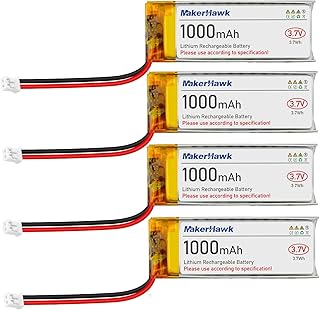
If you’ve run an ESP32 on a battery, you know it consumes power like a V8 engine in a traffic jam. Leave it running, and your battery is dead before lunch. But we can cheat. We’re going to put the ESP32 into a medically induced coma called Deep Sleep. It will hibernate, wake up briefly to do its chores, and pass out again. It is the ultimate battery super-saver.
Why Use Deep Sleep?
When an ESP32 is running normally (with Wi-Fi and Bluetooth on), it can consume upwards of 240mA. That drains batteries fast! But in Deep Sleep mode:
- The CPU, Wi-Fi, and Bluetooth are powered off.
- Only the RTC (Real-Time Clock) memory and peripherals stay on.
- Power consumption drops to around 10µA to 150µA (depending on your specific board and regulator).
- It’s perfect for weather stations, smart agriculture sensors, or any IoT device that only needs to report data occasionally.
The Code: Entering Deep Sleep
Putting the ESP32 to sleep is surprisingly simple. We use the built-in ESP-IDF functions exposed through the Arduino core.
Here’s a basic example that wakes up every 10 seconds, prints a message, and goes back to sleep:
#define uS_TO_S_FACTOR 1000000  /* Conversion factor for micro seconds to seconds */
#define TIME_TO_SLEEP  10        /* Time ESP32 will go to sleep (in seconds) */

RTC_DATA_ATTR int bootCount = 0; // Stored in RTC memory, survives deep sleep

void setup() {
  Serial.begin(115200);
  delay(1000); // Take some time to open up the Serial Monitor

  // Increment boot number and print it every reboot
  ++bootCount;
  Serial.println("Boot number: " + String(bootCount));

  // Configure the wake up source
  esp_sleep_enable_timer_wakeup(TIME_TO_SLEEP * uS_TO_S_FACTOR);
  Serial.println("Setup ESP32 to sleep for every " + String(TIME_TO_SLEEP) + " Seconds");

  // Go to sleep now
  Serial.println("Going to sleep now");
  Serial.flush();
  esp_deep_sleep_start();

  Serial.println("This will never be printed");
}

void loop() {
  // This is not going to be called
}
Key Takeaways
- RTC Memory: Variables prefixed with
RTC_DATA_ATTRare saved in the RTC memory and won’t be erased when the device goes to sleep. - Wakeup Sources: We used a timer wakeup (
esp_sleep_enable_timer_wakeup), but you can also wake the ESP32 using external pins (like a button press or sensor interrupt) or even the touch pins. setup()only: Notice howloop()is empty? Every time the ESP32 wakes from Deep Sleep, it reboots and runssetup()from the very beginning.
Start experimenting with Deep Sleep on your battery-powered projects, and watch your uptime skyrocket! Let me know in the comments what you’re building. See you in the next lesson!
Hardware You’ll Need
To follow along with this lesson, you’ll need the following components: