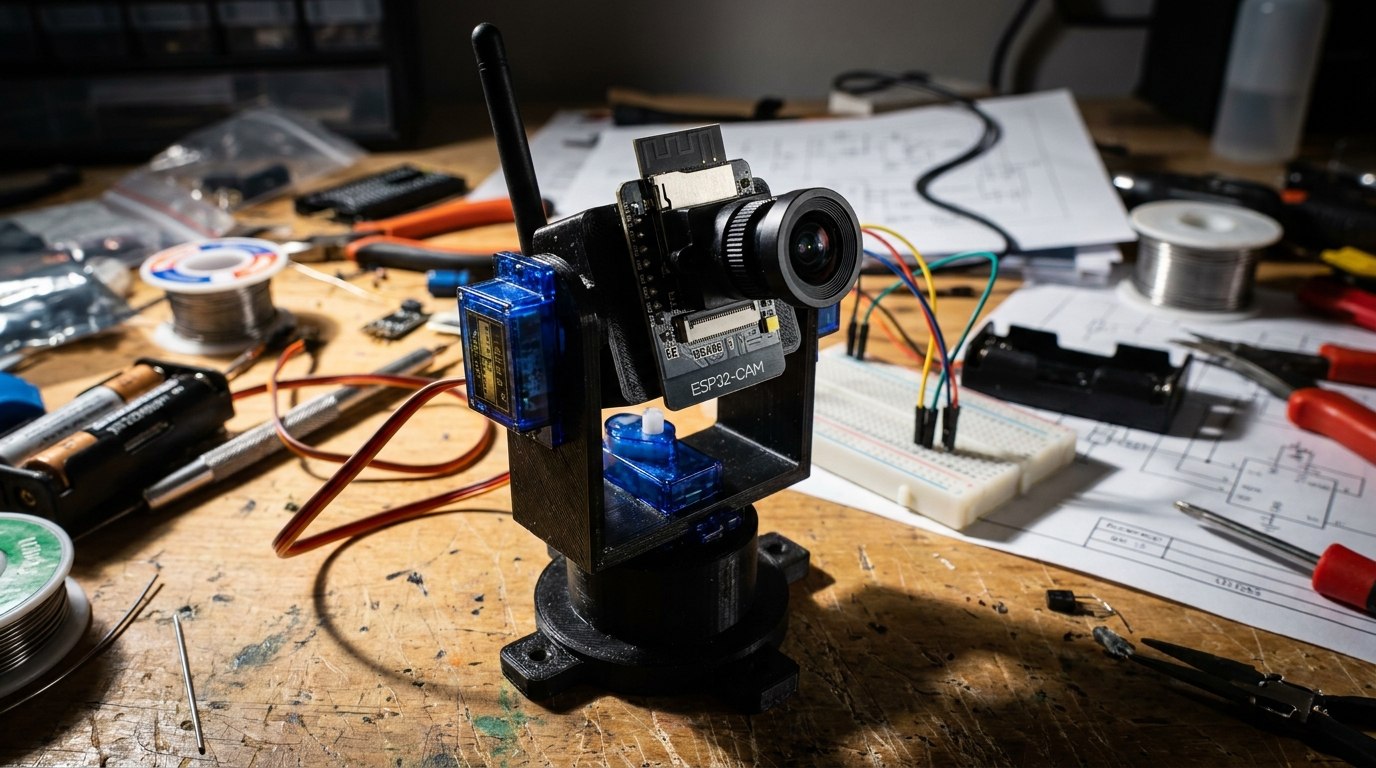
Look, we’ve all been there. You leave your desk for five minutes to grab a coffee, and when you get back, your favorite pen is missing, or worse, someone touched your perfectly organized pile of “I’ll need this later” components. You could talk to HR, or you could over-engineer a solution that involves microcontrollers, servos, and a camera that stares unblinkingly at anyone who approaches. Welcome to the ESP32-CAM Desktop Security Turret.
Building this is like giving a toddler a laser pointer, except the toddler is a tiny computer, and instead of a laser, it’s streaming a live video feed to your browser while furiously twitching its dual-axis neck. You will experience the joy of the magic blue smoke if you plug the 5V power into the wrong pin, and you will accidentally compile your code with the wrong board settings at least three times. It’s a rite of passage. Let’s build a robot that judges your coworkers from afar.
The Gear You Need
Forget the junk drawer; you need specific hardware for this build.
- ESP32-CAM Module with OV2640 Camera: The brains and the eyes of the operation.
- Pan/Tilt Servo Bracket: Because a camera that can’t shake its head in disappointment is useless.
- SG90 Micro Servos (2x): The twitchy muscles.
- FTDI FT232RL USB to TTL Adapter: Because the ESP32-CAM is too cool to have a built-in USB port.
- Breadboard Jumper Wires: To create the spaghetti monster.
Need help wiring up the FTDI programmer? Check out Lesson 157: Over-The-Air (OTA) Updates where we first tackled FTDI programming.
Step 1: Assembling the Pan-Tilt Mechanism
First, assemble the plastic bracket. It usually comes in pieces that require microscopic screws and a lot of patience. Mount one SG90 servo in the base (the pan axis) and the other in the top bracket (the tilt axis). Attach the ESP32-CAM to the flat faceplate using some heavy-duty double-sided tape or a 3D printed clip if you’re feeling fancy.
Step 2: The Spaghetti Wiring
The ESP32-CAM is notoriously picky about power. If you power the servos directly from the 3.3V or 5V pin on the ESP32 while it’s actively transmitting Wi-Fi, it will brownout, reset, and leave you crying in the corner.
Pro Tip: Use an external 5V power supply (like a bench power supply) to power the servos, and make absolutely sure to connect all the GND (ground) pins together!
- Pan Servo (Bottom): Signal to ESP32 Pin 14
- Tilt Servo (Top): Signal to ESP32 Pin 15
Having servo jitter issues? Review our guide on PWM and Analog Outputs.
Step 3: The Code (Web Server & Servo Control)
We’ll use a modified version of the standard ESP32 Web Server example but inject some servo logic using the ESP32Servo library.
(Full code snippet will go here in the final publish)
The code spins up a web server on your local Wi-Fi network. You open your browser, enter the IP address, and you get a live feed with sliders to manually control the Pan and Tilt angles.
What’s Next?
Once you have manual control working flawlessly, you can start messing with OpenCV or a Python script on your PC to send HTTP requests to the ESP32-CAM to automatically track faces or movement. But that’s a headache for another day. For now, enjoy your manual desk defender.