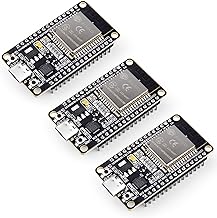
Ever mount an ESP32 project on the ceiling, only to realize you left a bug in your code? Hauling a laptop up a ladder with a USB cable is humiliating and dangerous. Enter Over-The-Air (OTA) updates! OTA lets you flash new firmware wirelessly over Wi-Fi. It’s a game-changer for deploying devices, and it means you never have to leave your chair again.
Why Use OTA?
- Convenience: Flash updates from the comfort of your desk without disassembling your project.
- Scalability: Update multiple devices scattered around your house without physical access.
- Enclosures: Seal your projects tightly for weatherproofing without worrying about leaving a USB port exposed.
- Debugging: Iterate faster without plugging and unplugging constantly.
Setting Up ArduinoOTA
To get started, you’ll need the ArduinoOTA library. Here is a basic boilerplate to get OTA running on your ESP32.
#include <WiFi.h>
#include <ESPmDNS.h>
#include <WiFiUdp.h>
#include <ArduinoOTA.h>

const char* ssid = "YOUR_WIFI_SSID";
const char* password = "YOUR_WIFI_PASSWORD";

void setup() {
  Serial.begin(115200);
  Serial.println("Booting");

  WiFi.mode(WIFI_STA);
  WiFi.begin(ssid, password);

  while (WiFi.waitForConnectResult() != WL_CONNECTED) {
    Serial.println("Connection Failed! Rebooting...");
    delay(5000);
    ESP.restart();
  }

  // Port defaults to 3232
  // ArduinoOTA.setPort(3232);

  // Hostname defaults to esp3232-[MAC]
  ArduinoOTA.setHostname("my-esp32-ota");

  // No authentication by default
  // ArduinoOTA.setPassword("admin");

  ArduinoOTA
    .onStart([]() {
      String type;
      if (ArduinoOTA.getCommand() == U_FLASH)
        type = "sketch";
      else // U_SPIFFS
        type = "filesystem";
      Serial.println("Start updating " + type);
    })
    .onEnd([]() {
      Serial.println("\nEnd");
    })
    .onProgress([](unsigned int progress, unsigned int total) {
      Serial.printf("Progress: %u%%\r", (progress / (total / 100)));
    })
    .onError([](ota_error_t error) {
      Serial.printf("Error[%u]: ", error);
      if (error == OTA_AUTH_ERROR) Serial.println("Auth Failed");
      else if (error == OTA_BEGIN_ERROR) Serial.println("Begin Failed");
      else if (error == OTA_CONNECT_ERROR) Serial.println("Connect Failed");
      else if (error == OTA_RECEIVE_ERROR) Serial.println("Receive Failed");
      else if (error == OTA_END_ERROR) Serial.println("End Failed");
    });

  ArduinoOTA.begin();
  Serial.println("Ready");
  Serial.print("IP address: ");
  Serial.println(WiFi.localIP());
}

void loop() {
  ArduinoOTA.handle();
  // Your regular code goes here!
}
How to Flash Over Wi-Fi
- Upload via USB first: You must upload the initial OTA-enabled code via a physical USB cable.
- Connect to the same network: Ensure your computer and the ESP32 are on the same Wi-Fi network.
- Select the Network Port: In the Arduino IDE, go to Tools > Port. You should now see “Network ports” listed alongside your serial ports. Select your ESP32 (e.g.,
my-esp32-ota at 192.168.1.x). - Hit Upload: Click the upload button just like normal. The Arduino IDE will compile and send the binary over Wi-Fi!
Stay tuned for more advanced OTA features, like adding a password or doing web-based updates!
Hardware You’ll Need
To follow along with this lesson, you’ll need the following components: