Project 31: Wi-Fi E-Paper Stock Ticker
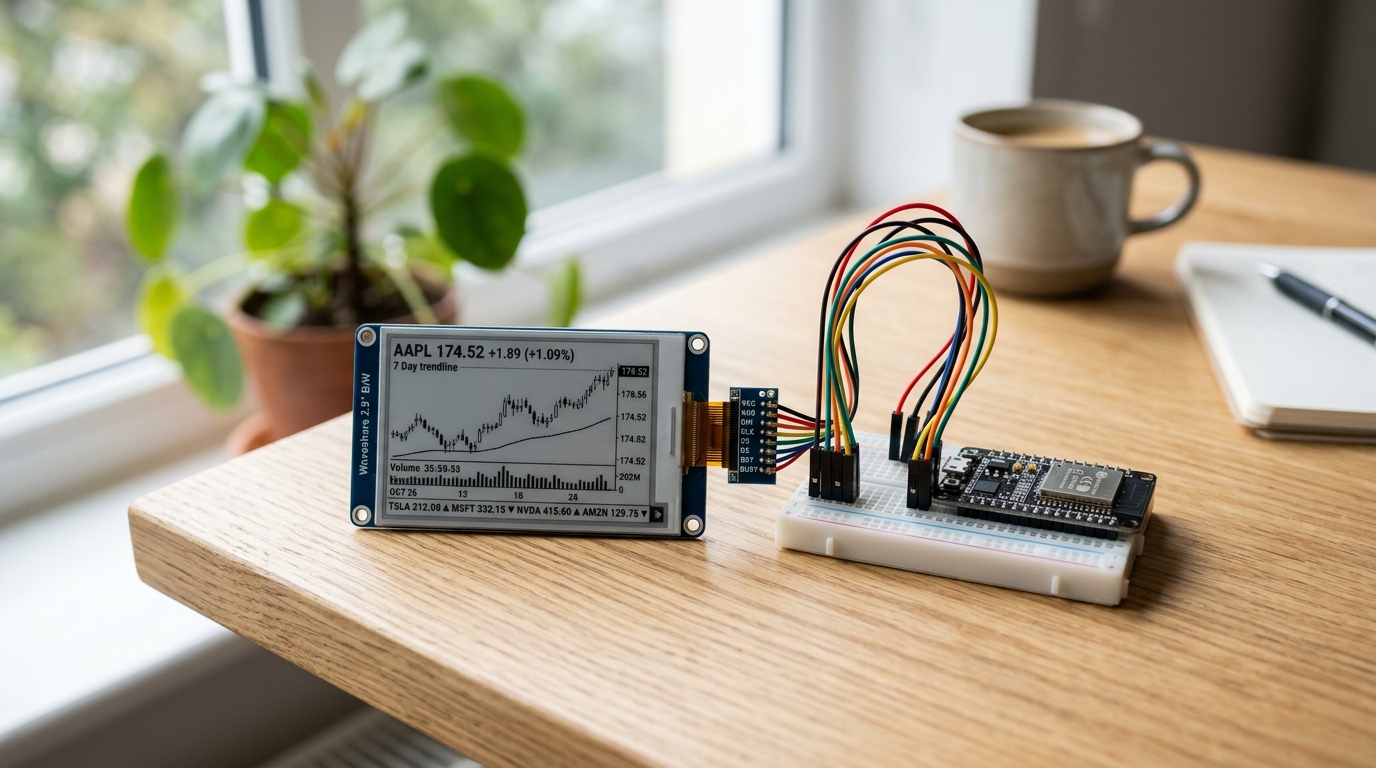
We are going to build a Wi-Fi E-Paper Stock Ticker. E-Paper displays use zero power to maintain an image once drawn, which means they are extremely energy efficient. We’ll use an ESP32 to fetch live stock prices, draw them to the screen, and go to sleep. Now you can watch your investments plummet with incredible battery life!
The Parts List
To build this smart ticker, you’ll need the following components:
- ESP32 Development Board - The brains of the operation. The ESP32 is ideal because of its built-in Wi-Fi and deep sleep modes.
- Waveshare 2.13” E-Paper Display Module - We recommend the SPI version. It’s crisp and supports partial refresh so you don’t get as much screen flickering.
- Breadboard & Jumper Wires - For prototyping before you commit to soldering!
Wiring It Up
The Waveshare E-Paper displays use the SPI communication protocol. Wiring an SPI display to the ESP32 requires 8 connections:
| ESP32 Pin | E-Paper Pin | Description |
|---|---|---|
| 3V3 | VCC | 3.3V Power |
| GND | GND | Ground |
| D23 | DIN / MOSI | SPI Data |
| D18 | CLK / SCK | SPI Clock |
| D5 | CS | Chip Select |
| D22 | DC | Data / Command Control |
| D21 | RST | Reset |
| D4 | BUSY | Busy status output |
Note: Double-check your specific ESP32 board’s pinout, as labels can sometimes vary slightly between manufacturers.
The Code & API Setup
To get live stock prices, you need an API key from a free financial data provider. Finnhub.io offers an excellent free tier for fetching real-time quotes. Create an account and grab your API key.
We will use the GxEPD2 library to drive the display, and the built-in HTTPClient and ArduinoJson libraries to fetch and parse the data. You can install these via the Library Manager in the Arduino IDE.
Here is a simplified snippet of how the logic works:
#include <WiFi.h>
#include <HTTPClient.h>
#include <ArduinoJson.h>
#include <GxEPD2_BW.h> // E-Paper Library

// --- Wi-Fi & API Settings ---
const char* ssid = "YOUR_WIFI_SSID";
const char* password = "YOUR_WIFI_PASSWORD";
const char* apiKey = "YOUR_FINNHUB_API_KEY";
const char* symbol = "AAPL";

// --- Initialize Display (check GxEPD2 examples for your exact model) ---
GxEPD2_BW<GxEPD2_213_B74, GxEPD2_213_B74::HEIGHT> display(GxEPD2_213_B74(/*CS=*/ 5, /*DC=*/ 22, /*RST=*/ 21, /*BUSY=*/ 4));

void setup() {
  Serial.begin(115200);
  display.init(115200);

  // 1. Connect to Wi-Fi
  WiFi.begin(ssid, password);
  while (WiFi.status() != WL_CONNECTED) {
    delay(500);
  }

  // 2. Fetch the Stock Data
  float currentPrice = fetchStockPrice(symbol);

  // 3. Update the Display
  updateDisplay(symbol, currentPrice);

  // 4. Go to Deep Sleep for 15 minutes to save battery
  esp_sleep_enable_timer_wakeup(15 * 60 * 1000000ULL);
  esp_deep_sleep_start();
}

void loop() {
  // Empty. Execution stops during deep sleep and restarts from setup()
}

float fetchStockPrice(const char* sym) {
  HTTPClient http;
  String url = String("https://finnhub.io/api/v1/quote?symbol=") + sym + "&token=" + apiKey;
  http.begin(url);

  int httpCode = http.GET();
  float price = 0.0;

  if (httpCode == 200) {
    String payload = http.getString();
    JsonDocument doc;
    deserializeJson(doc, payload);
    price = doc["c"]; // 'c' is the current price field in Finnhub
  }
  http.end();
  return price;
}

void updateDisplay(const char* sym, float price) {
  display.setRotation(1);
  display.setFont(&FreeMonoBold18pt7b); // Use an Adafruit GFX font
  display.setTextColor(GxEPD_BLACK);
  display.setFullWindow();
  display.firstPage();

  do {
    display.fillScreen(GxEPD_WHITE);
    display.setCursor(10, 40);
    display.print(sym);
    display.setCursor(10, 80);
    display.print("$");
    display.print(price);
  } while (display.nextPage());
}
Going Further
This is just the foundation! Because you have a full dual-core ESP32 at your disposal, you can:
- Loop through an array of multiple symbols (e.g.,
["AAPL", "MSFT", "SPY"]) and fetch them all. - Display the percentage change (green or red, if you have a 3-color E-Paper display!).
- Design a 3D-printed case shaped like an old ticker-tape machine to give it a vintage vibe.
Get building, and let us know what stocks you decide to track!
Disclaimer: Some of the links on this page are affiliate links. If you purchase through them, we may earn a small commission at no extra cost to you.