Project 6: Build an Automatic Solar Tracker (Arduino vs. Analog)
Solar panels are fantastic, but they have a fatal flaw: they only produce maximum power when pointed directly at the sun. As the sun moves, a fixed panel becomes useless. The solution? A solar tracker! In this project, we are going to build a mechanism that stalks the sun. We’ll show you the smart way (Arduino) and the masochistic way (Analog Op-Amps).
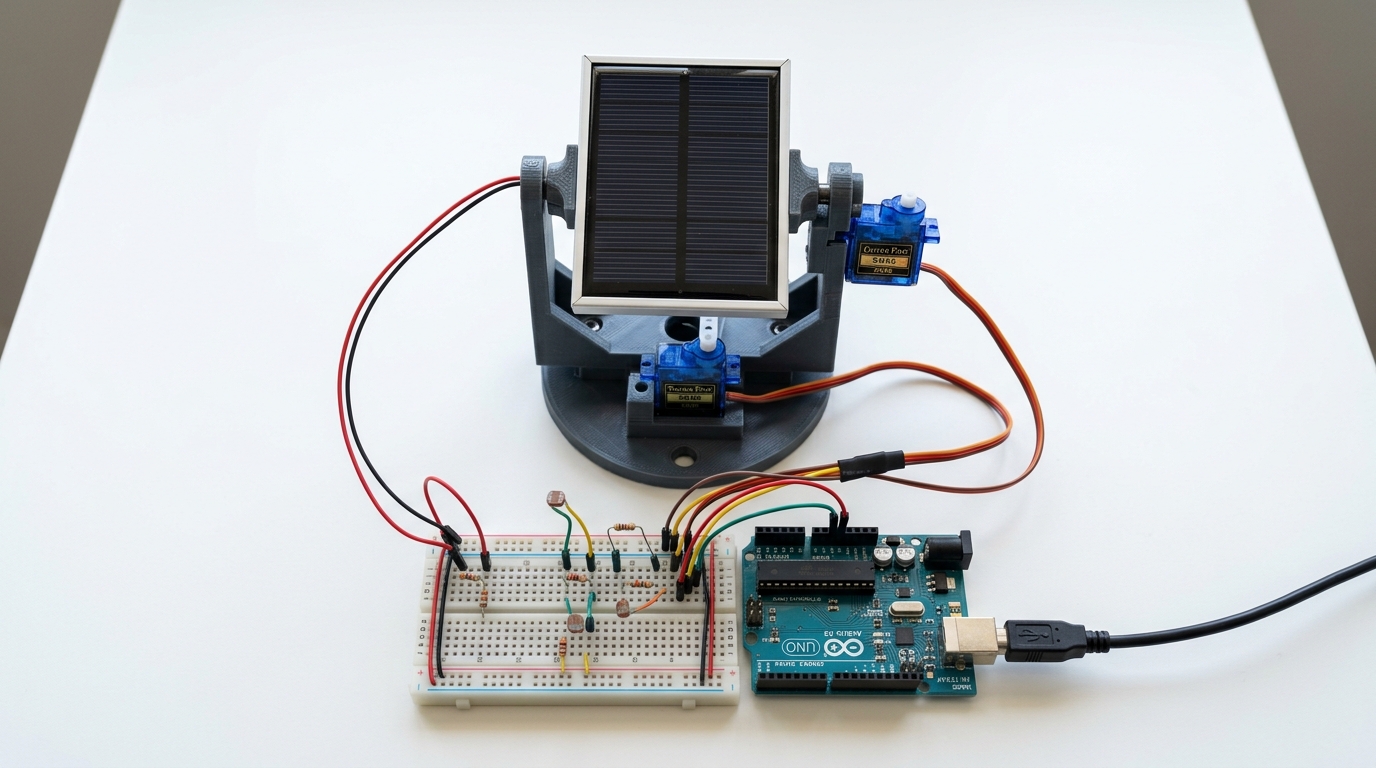
Method 1: The Arduino Tracker (Digital)
This is the most common way makers approach this project today. We use two Photoresistors (LDRs) separated by a small divider (like a piece of cardboard). If the sun moves left, the left LDR gets more light than the right LDR.
The Arduino reads both sensors, compares the values, and tells a Servo Motor to rotate the panel until both sensors read the exact same amount of light (meaning it is facing perfectly forward).
Parts Needed (Arduino Version)
- 1x Arduino Uno R3 Clone
- 2x Photoresistors (LDRs)
- 2x 10k-ohm resistors
- 1x SG90 Micro Servo Motor
- A small solar panel (for demonstration)
How it Works
We wire the two LDRs into two separate voltage dividers connected to Analog pins A0 and A1.
Our code looks like this:
#include <Servo.h>

Servo trackerServo;
int ldrLeft = A0;
int ldrRight = A1;
int servoPos = 90; // Start in the middle

void setup() {
  trackerServo.attach(9);
  trackerServo.write(servoPos);
}

void loop() {
  int leftValue = analogRead(ldrLeft);
  int rightValue = analogRead(ldrRight);
  int tolerance = 20; // Prevent jitter

  if (abs(leftValue - rightValue) > tolerance) {
    if (leftValue > rightValue) {
      servoPos++; // Move Left
    } else {
      servoPos--; // Move Right
    }
  }

  servoPos = constrain(servoPos, 0, 180);
  trackerServo.write(servoPos);
  delay(20);
}
Pros: Easy to adjust tolerance in code, easy to add a second motor for dual-axis tracking (up/down). Cons: Requires a microcontroller running 24/7, which consumes a decent amount of power.
Method 2: The Op-Amp Tracker (Analog)
Before microcontrollers were cheap, engineers used pure analog circuitry to solve this exact problem. Instead of an Arduino comparing numbers, we can use an LM358 Operational Amplifier (Op-Amp).
An Op-Amp acts like a hardware comparator. It has two inputs. If Input A has a higher voltage than Input B, it sends power out one pin. If Input B is higher, it sends power out a different pin.
Parts Needed (Analog Version)
- 1x LM358 Dual Op-Amp IC
- 2x Photoresistors (LDRs)
- 1x L293D Motor Driver IC (or an H-Bridge)
- 1x Standard DC Gear Motor (Not a servo!)
How it Works
We still use the same two LDRs to create voltage dividers, but instead of wiring them to an Arduino, we wire them straight into the input pins of the LM358 Op-Amp.
The Op-Amp hardware physically compares the voltages. If the left LDR gets more light, the Op-Amp outputs a HIGH signal to our Motor Driver, which spins the DC motor left. Once the LDRs balance out, the Op-Amp outputs a LOW signal, and the motor stops.
Pros: No coding required, incredibly cheap to build, very low power consumption (great for actual off-grid solar setups). Cons: Harder to tweak sensitivity, requires a standard DC motor with a slow gear ratio rather than a precise servo.
Which Should You Build?
If you are just learning how to code and want a fun desktop project, the Arduino version is highly recommended. It teaches you how to read analog sensors, use logic gates, and control servo motors.
However, if you are building a real solar tracker for your roof or RV, the Analog Op-Amp version is actually superior. It uses a fraction of the power, costs pennies, and has no code that can crash!
(For full wiring diagrams and step-by-step instructions for the Op-Amp build, we highly recommend this excellent guide on Instructables.)