Soldering Irons Showdown: Budget Stick vs. Pinecil vs. Weller Digital Station
Ah, the soldering iron. The majestic wand of the electronics wizard. Or, if you’re like most beginners, the excruciatingly hot stick of finger-burning regret that occasionally melts a component into an unrecognizable plastic puddle. Let’s be real—using a cheap, untamed soldering iron is like trying to do calligraphy with a blowtorch. You plug it in, wait for it to get glowing-hot, apply solder, and immediately vaporize the flux, leaving you with cold joints that look like tiny metallic bird droppings.
But it doesn’t have to be this way! Do you need a $15 kit, a sleek “smart” iron, or a professional benchtop station? Today, we compare three drastically different classes of irons to help you decide how much you want to spend on burning yourself.
1. The Budget 60W Stick (The “Amazon Special”)
(Image: Standard blue 60W plug-in soldering iron)
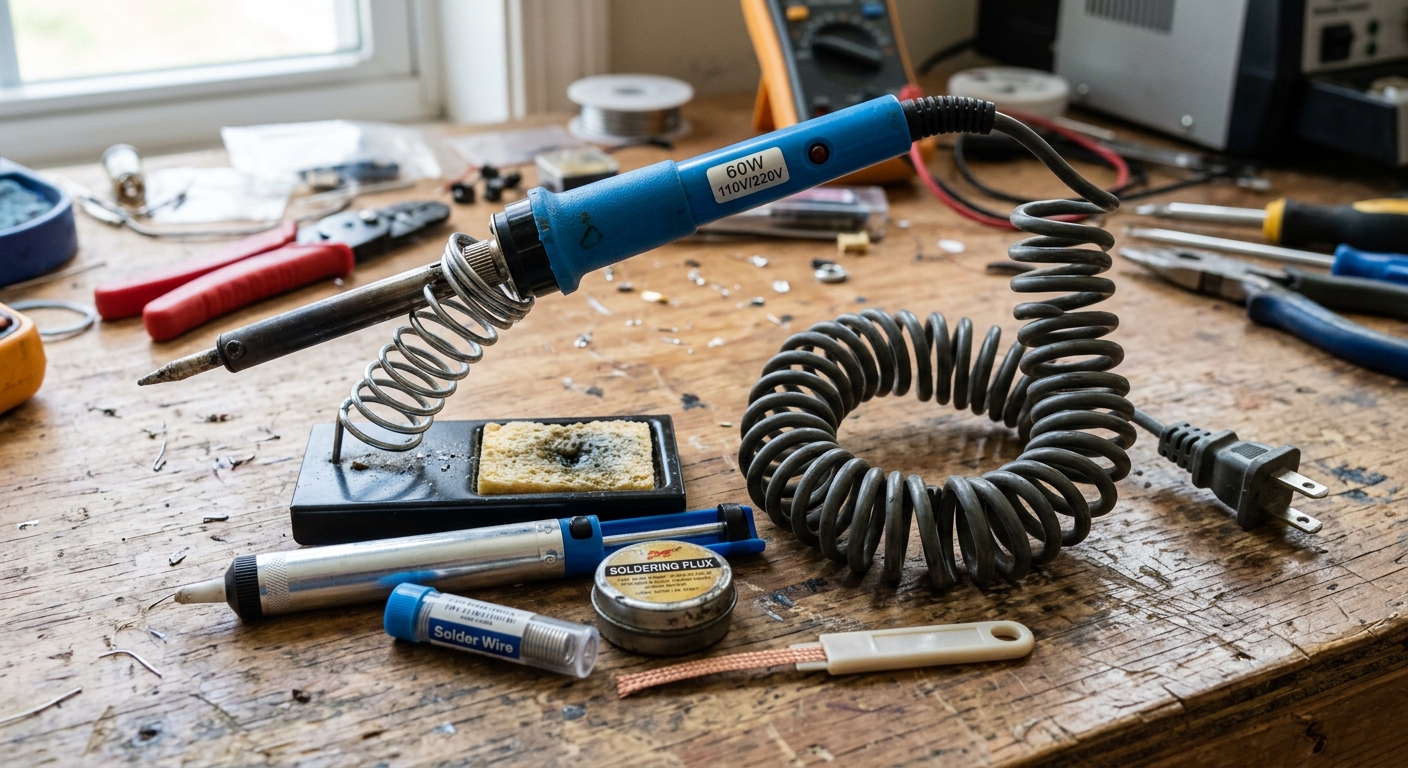
If you’ve searched for soldering irons, you’ve seen these. They usually come in a zippered case with tweezers, a cheap solder sucker, and some mystery wire.
The Pros:
- Price: Unbeatable. You can get the whole kit for the price of a fancy coffee.
- It Works: It gets hot and melts solder. You can absolutely build your first few projects with this.
The Cons:
- No Active Temperature Control: Even if it has a dial, it’s a “dumb” iron. It constantly pumps heat. When you touch it to a cold joint, the tip cools down, and the iron struggles to recover quickly.
- Burned Flux: Because it often runs too hot when idling, it instantly vaporizes the flux in your solder, making it much harder to get clean, shiny joints.
Verdict: Great if you literally only have a twenty-dollar bill and want to try the hobby. But you will outgrow it quickly.
🛒 Check the latest price: Plusivo Soldering Iron Kit
2. The Pinecil V2 (The Smart Iron)
(Image: Pinecil V2 smart soldering iron with OLED screen)
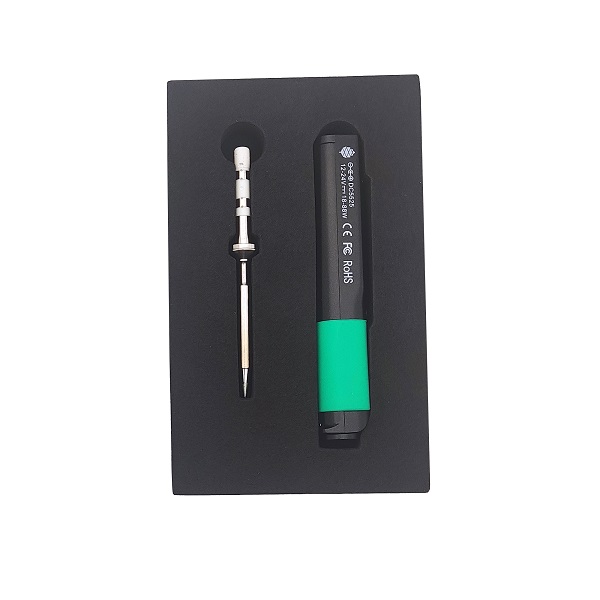
The Pinecil revolutionized the hobby. It’s a tiny, pen-sized iron powered by USB-C or a laptop charger.
The Pros:
- Active Temperature Control: This is the game-changer. The heating element and temperature sensor are built directly into the tip. When you touch a cold joint, it senses the temperature drop and instantly blasts power to recover. This makes learning to solder so much easier.
- Portability: It runs off a standard USB-C PD power bank. You can solder anywhere.
- Fast Heat-Up: It goes from room temperature to 350°C in about 12 seconds.
- Price: Incredible value for a genuine smart tool.
The Cons:
- Ergonomics for Long Sessions: It’s very light, but the cable can sometimes drag the back end, and it’s not meant for 8-hour daily production use.
- Needs a Good Power Supply: If you plug it into a cheap 5V phone charger, it will barely work. You need a 65W USB-C PD brick for optimal performance.
Verdict: The absolute best iron for 95% of hobbyists. It punches way above its weight class and feels like a precision instrument.
🛒 Check the latest price: Pinecil V2 Soldering Iron
3. The Weller WE1010NA (The Professional Station)
(Image: Weller WE1010NA digital soldering station)
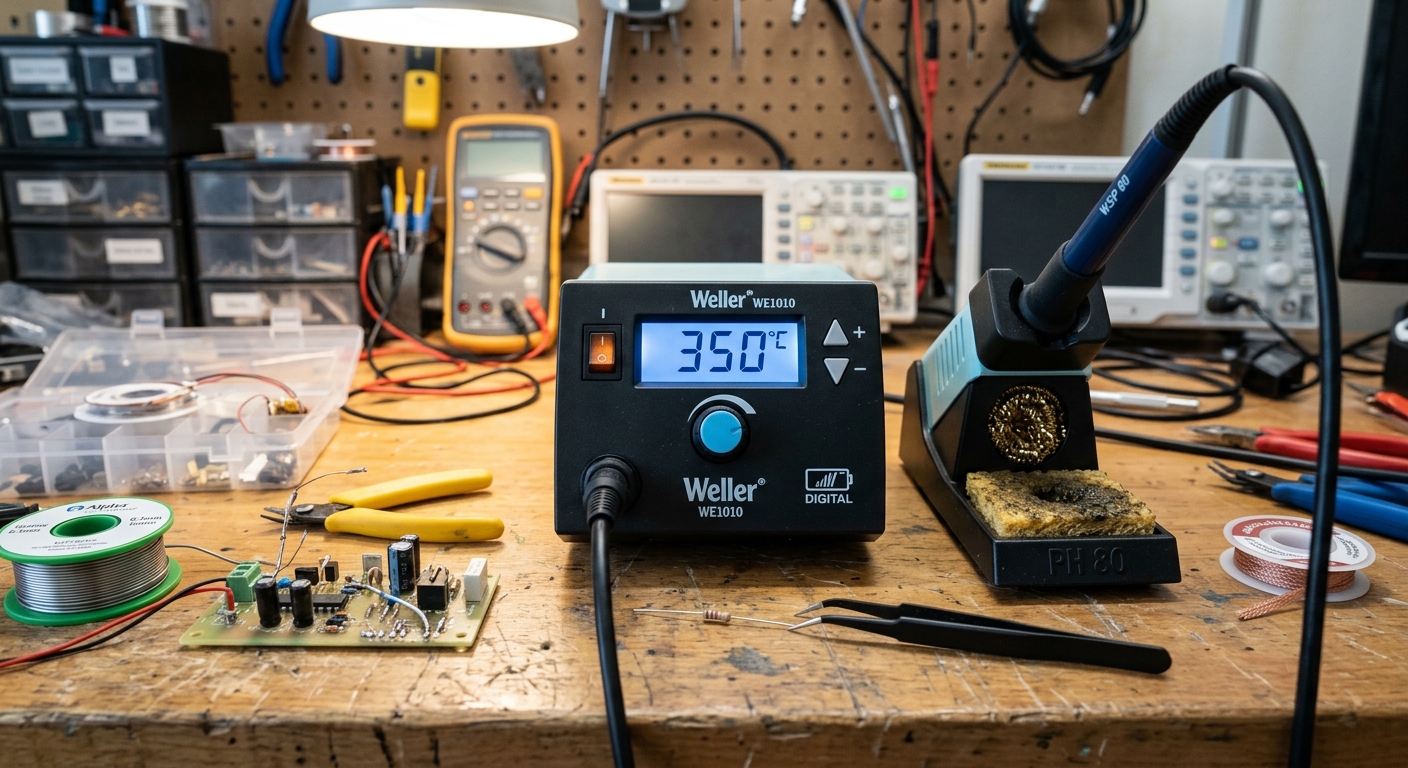
Weller and Hakko are the gold standards for benchtop stations. These are heavy, stay-at-home units meant for serious work.
The Pros:
- Thermal Mass: The handpiece is light, but the tips hold a lot of heat. They can tackle large ground planes and thick wires that would cause a smaller iron to freeze up.
- Durability: These things are tanks. Many hobbyists pass their stations down to their kids.
- Comfort: The cord from the station to the iron is typically highly flexible, making precision work easy without fighting the cable.
- Huge Ecosystem: You can find dozens of specialized tip shapes for any job.
The Cons:
- Price: You are looking at a premium investment.
- Footprint: It takes up permanent desk space.
Verdict: If you are building keyboards, fixing vintage electronics, or doing this for a living, you need a benchtop station.
🛒 Check the latest price: Weller WE1010NA Digital Soldering Station
Summary
If you are just starting and want to set yourself up for success without breaking the bank, buy a Pinecil.
The active temperature control will save you hours of frustration. Cheap sticks make you fight the tool while you are trying to learn the technique. With a smart iron, you just have to focus on your hands.