Look, I know what you’re thinking. “My $15 hardware store soldering iron works just fine!” And you’re right, it does. It also takes 10 minutes to heat up, melts the insulation off your wires just by looking at them, and has a power cord stiffer than a frozen garden hose that actively tries to rip the iron out of your hand and drag it across your thighs.
Welcome to the future, where soldering irons run on open-source firmware, heat up in 5 seconds, and are powered by the same USB-C charger you use for your laptop. Today, we’re throwing the heavyweights of the portable “smart” soldering iron world into the ring: the Pinecil (V2), the Miniware TS101, and the SEQURE SQ-001.
By the end of this showdown, you’ll know exactly which one you need (or which one to tell your spouse you absolutely had to buy).
1. The Crowd Favorite: PINECIL Smart Mini Portable Soldering Iron (V2)
The Pinecil has reached legendary status in the maker community, and for good reason. It’s cheap, it runs IronOS (an open-source firmware), and it heats up faster than my temper when I realize I forgot to put the heat shrink on before soldering the wires.
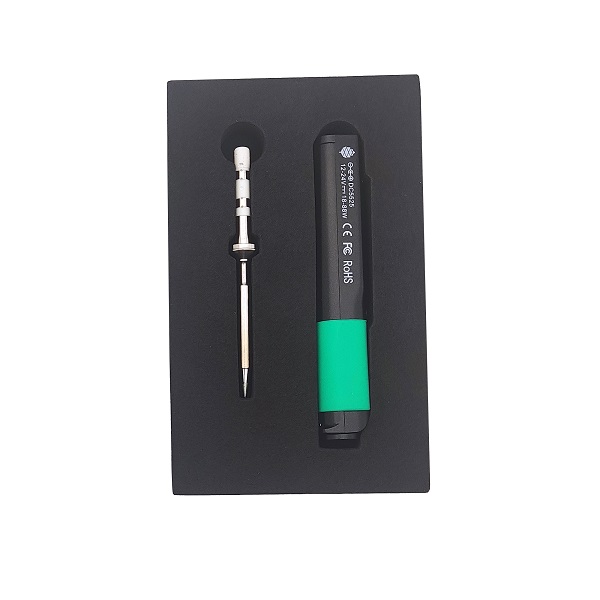
- Power Options: USB-C (PD/QC) or DC5525 barrel jack.
- Tips: Uses short TS100-style tips, but also supports Pinecil’s own shorter tips.
- Why it matters for beginners: At around $25-$30, it is the absolute best bang for your buck. You can plug it into a beefy USB-C laptop charger or a power bank and be soldering in 5 seconds. The open-source firmware is incredibly intuitive.
- Why it matters for pros: The RISC-V processor, Bluetooth capability (on the V2), and IronOS mean you can tweak the standby timeout, boost temperature on the fly (by holding a button), and customize the boot logo.
Get the PINECIL: Check Price on Amazon
2. The Premium Upgrade: Miniware TS101
Miniware basically invented this category with the original TS100, which dominated the market for years. The TS101 is its successor, addressing the lack of USB-C and adding a few modern touches.
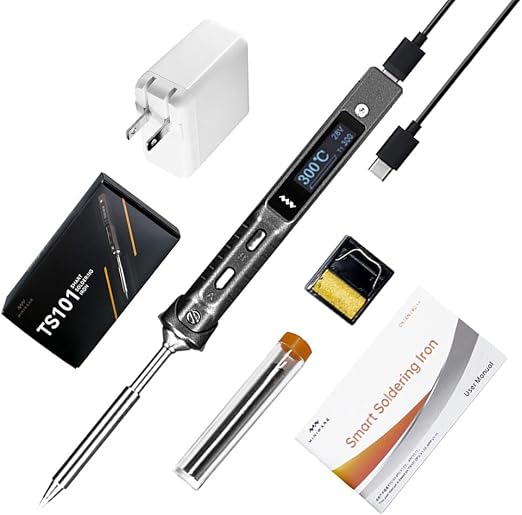
- Power Options: USB-C (PD 3.0) or DC5525 barrel jack.
- Tips: Standard TS100 tips.
- Why it matters for beginners: The TS101 feels slightly more “premium” out of the box. It has an anti-slip grip/stand thingy that slides onto the front, keeping your fingers away from the hot bits and acting as a makeshift rest so you don’t burn your desk.
- Why it matters for pros: Miniware polished the TS101 with a sharper OLED screen and up to 90W of power (with a 24V DC supply) or 65W via USB-C PD. If you are doing heavy ground plane soldering on PCBs, the extra thermal mass recovery you get with this at 90W is noticeable. However, it doesn’t run IronOS out of the box (though you can flash it).
Get the Miniware TS101: Check Price on Amazon
3. The Budget Alternative: SEQURE SQ-001
The SQ-001 is a very competent clone of the original TS100, but often comes packaged with a few extra goodies in the box to sweeten the deal.
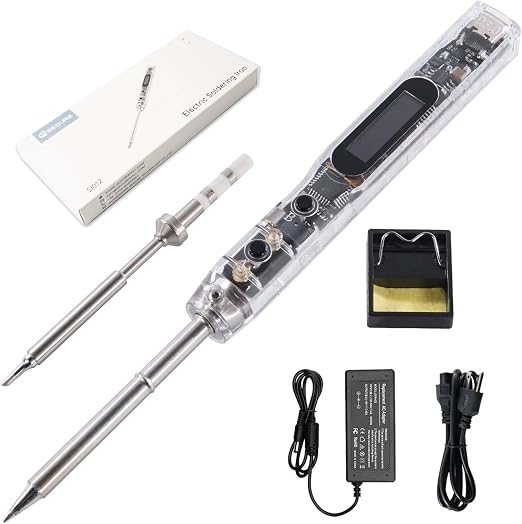
- Power Options: DC5525 barrel jack (Note: Doesn’t have USB-C!).
- Tips: Standard TS100 tips.
- Why it matters for beginners: It’s lightweight, cheap, and gets the job done. If you already have a bunch of RC car LiPo batteries with XT60 connectors lying around, the SQ-001 usually comes with an XT60 to DC barrel jack adapter, making it a great field-repair iron.
- Why it matters for pros: It runs IronOS! While it lacks the modern USB-C convenience of the Pinecil and TS101, it is extremely reliable. But honestly, in 2026, buying an iron without USB-C feels a bit like buying a car without Bluetooth.
Get the SEQURE SQ-001: Check Price on Amazon
The Verdict
So, which one should you buy?
For 95% of people: Buy the Pinecil. It is ridiculously cheap for what it offers, USB-C is fantastic, and the community support via IronOS is unmatched. It’s the undisputed king of value.
For the “I want the premium feel” crowd: Get the Miniware TS101. It’s built beautifully, the included anti-slip collar is a genuinely useful feature, and if you have a 24V DC supply, it pushes serious wattage for bigger jobs.
Throw out that stiff, heavy, 10-minute-warm-up hardware store special. Your desk (and your fingers) will thank you.