Lesson 183: Bridging the Voltage Gap with Logic Level Converters
Connecting 5V logic directly to a delicate 3.3V chip is a great way to permanently destroy the chip. As you move to advanced sensors, you’ll find they strictly operate at 3.3V. If your 5V Arduino screams a 5V “HIGH” signal at them, they die. To stop your Arduino from acting like an electrical bully, we use a Logic Level Converter to safely translate the voltages.
The Hardware: Bi-Directional Logic Level Converter
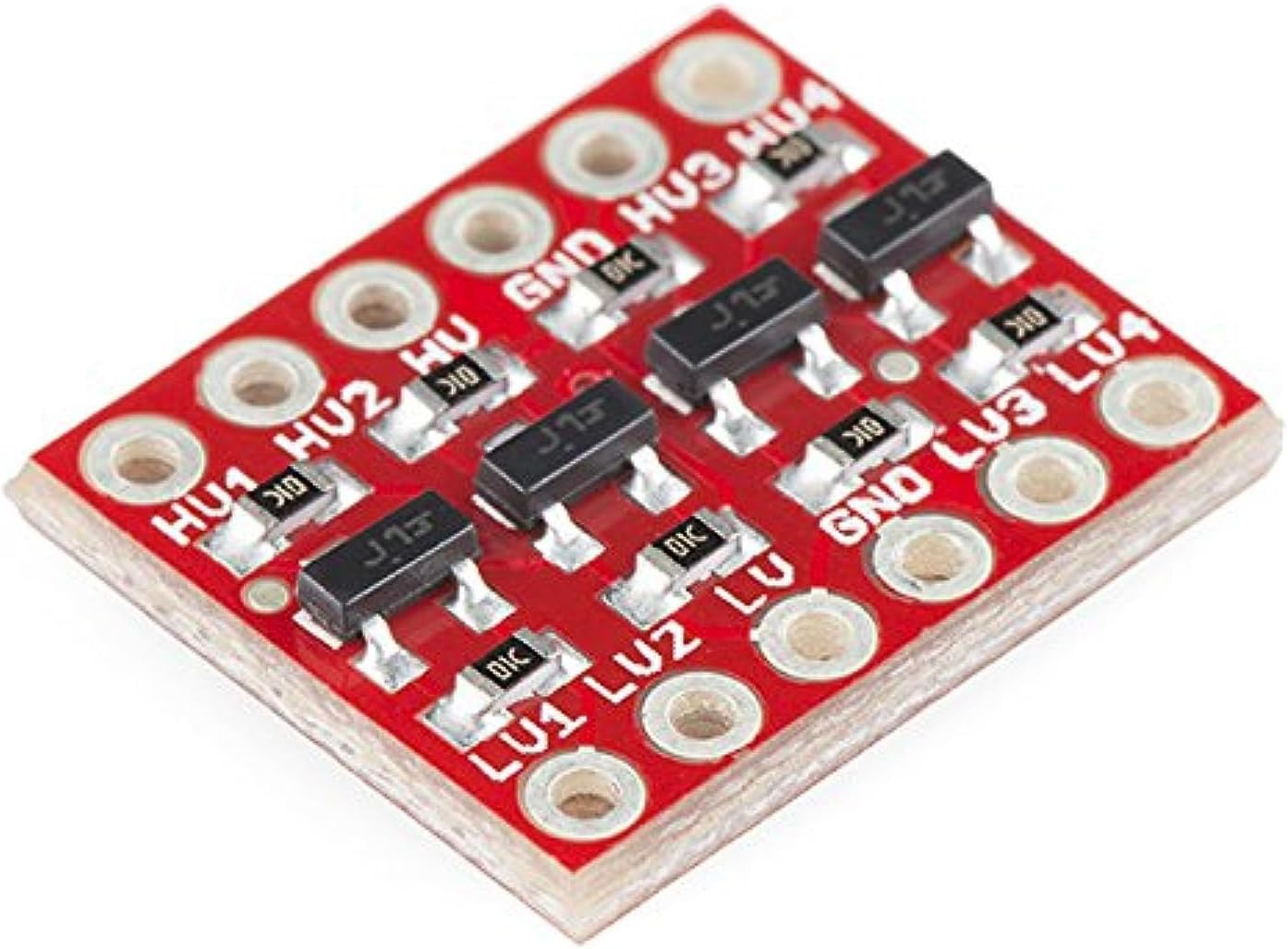
A logic level converter is a small, inexpensive board that safely steps down 5V signals to 3.3V AND steps up 3.3V signals to 5V. The “bi-directional” part is crucial for protocols like I2C (where the same wire is used to send and receive data) or for UART serial communication.
Two excellent options to keep in your parts bin:
- SparkFun Logic Level Converter Bi-Directional
- HiLetgo 10pcs 4 Channels IIC I2C Logic Level Converter
How It Works
Most basic level shifters use a simple N-channel MOSFET and a couple of pull-up resistors for each channel.
- When the 5V side pulls its line LOW (0V), the MOSFET turns on and pulls the 3.3V side LOW.
- When the 3.3V side pulls its line LOW (0V), it pulls the 5V side LOW.
- When neither side is pulling LOW, the pull-up resistors on both sides pull the lines HIGH to their respective safe voltages (3.3V and 5V).
Wiring It Up
Let’s look at a typical 4-channel bi-directional level shifter. It has a High Voltage (HV) side and a Low Voltage (LV) side.
HV Side (Connects to the 5V Arduino Uno):
- HV: Connect to the 5V pin on the Arduino.
- GND: Connect to an Arduino GND pin.
- HV1, HV2, HV3, HV4: Connect these to the Arduino’s data pins (e.g., SDA, SCL, TX, RX).
LV Side (Connects to the 3.3V Sensor):
- LV: Connect to the 3.3V pin on the Arduino (this provides the 3.3V reference voltage to the level shifter).
- GND: Connect to the sensor’s GND (ensure the sensor and Arduino share ground).
- LV1, LV2, LV3, LV4: Connect these to the corresponding data pins on your 3.3V sensor.
Example: Safely Wiring an I2C Sensor
If you’re wiring a 3.3V I2C sensor (like a BME280 without a built-in regulator), you would route the SDA and SCL lines through the converter:
- Arduino
A4(SDA) -> ConverterHV1 - Converter
LV1-> SensorSDA - Arduino
A5(SCL) -> ConverterHV2 - Converter
LV2-> SensorSCL
Now your Arduino and sensor can chat happily, with the converter intercepting the shouts and translating them to the correct volume in both directions!
The Software Side
The beauty of a logic level converter is that it requires absolutely zero software changes. It is a purely hardware solution. Your Arduino code remains exactly the same. You just call Wire.begin() or Serial.begin() as usual.
#include <Wire.h>

void setup() {
  Wire.begin();
  Serial.begin(9600);

  // The logic level converter handles the physical translation.
  // The code doesn't know (or care) that the voltage is changing!
  Serial.println("I2C scanner starting...");
}

void loop() {
  // Your standard 5V code runs flawlessly with the 3.3V sensor!
}
Summary
Whenever you get a new module, always check its datasheet or product page for the operating voltage and the logic voltage. If it says 3.3V max, and you are using a 5V microcontroller, do not skip the level converter. It will save you from burnt components and frustrating troubleshooting!