Welcome back! Today we dive into the secret language of smart homes. How does your smart switch tell your hub it was flipped without instantly killing its battery? The answer is MQTT (Message Queuing Telemetry Transport). It’s a lightweight protocol that lets your devices aggressively gossip with each other through a central broker. Time to start the rumor mill.
Why Do We Need MQTT?
When you have dozens (or hundreds) of devices on a network, having them constantly ask “Did anything happen? Did anything happen?” is incredibly inefficient. MQTT solves this by using a Publish/Subscribe (PubSub) model.
Here is why it’s the gold standard for smart homes and IoT:
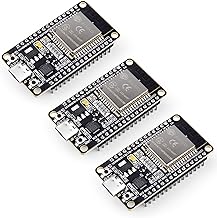
- Incredibly Lightweight: It requires minimal bandwidth and overhead, making it perfect for battery-powered microcontrollers like the ESP32 or ESP8266.
- Instantaneous: Messages are pushed immediately to devices that care about them.
- Decoupled: Your smart switch doesn’t need to know the IP address of your smart bulb. They both just talk to a central middleman (the “Broker”).
- Reliable: It includes Quality of Service (QoS) levels to ensure messages are delivered even on spotty Wi-Fi networks.
How It Works
Think of MQTT like a radio station.
- The Broker: The central server (like Mosquitto running on Home Assistant) that routes all messages.
- Publishers: Devices that broadcast data to a specific “topic” (e.g., a thermometer publishing to
home/livingroom/temperature). - Subscribers: Devices that tune into a topic to receive updates (e.g., your thermostat listening to
home/livingroom/temperature).
Code Example: Using PubSubClient
Let’s look at how easy it is to speak MQTT using an ESP32 and the popular PubSubClient library in Arduino.
#include <WiFi.h>
#include <PubSubClient.h>

const char* ssid = "YOUR_WIFI_SSID";
const char* password = "YOUR_WIFI_PASSWORD";
const char* mqtt_server = "192.168.1.100"; // Your MQTT Broker IP

WiFiClient espClient;
PubSubClient client(espClient);

void setup_wifi() {
  delay(10);
  WiFi.begin(ssid, password);
  while (WiFi.status() != WL_CONNECTED) {
    delay(500);
  }
}

void callback(char* topic, byte* message, unsigned int length) {
  String messageTemp;
  for (int i = 0; i < length; i++) {
    messageTemp += (char)message[i];
  }
  // If a message is received on the topic, do something!
  if (String(topic) == "home/livingroom/light") {
    if(messageTemp == "on") {
      digitalWrite(LED_BUILTIN, HIGH);
    } else if(messageTemp == "off") {
      digitalWrite(LED_BUILTIN, LOW);
    }
  }
}

void reconnect() {
  while (!client.connected()) {
    // Attempt to connect
    if (client.connect("ESP32Client")) {
      // Once connected, publish an announcement...
      client.publish("home/livingroom/status", "online");
      // ... and resubscribe
      client.subscribe("home/livingroom/light");
    } else {
      delay(5000); // Wait 5 seconds before retrying
    }
  }
}

void setup() {
  pinMode(LED_BUILTIN, OUTPUT);
  setup_wifi();
  client.setServer(mqtt_server, 1883);
  client.setCallback(callback);
}

void loop() {
  if (!client.connected()) {
    reconnect();
  }
  client.loop(); // Keeps the MQTT connection alive
}
In this snippet, our ESP32 is both a publisher (announcing it’s online) and a subscriber (listening for commands to turn its light on or off).
With MQTT under your belt, you can integrate custom hardware into Home Assistant, Node-RED, and virtually any other smart home platform effortlessly. Stay tuned for the next lesson where we’ll set up our own Mosquitto broker!
Hardware You’ll Need
To follow along with this lesson, you’ll need the following components: