Lesson 126: Moving Things - Introduction to Servo Motors
So far, we’ve focused on lights, sounds, and sensors. It’s basically a glorified sensory deprivation tank. But what if you want your project to actually move something? Whether it’s turning a dial, waving a tiny flag, or steering a pathetic little robot, servo motors are the answer.
They’re the easiest way to translate your code into physical, real-world motion, assuming they don’t violently jitter themselves apart first.
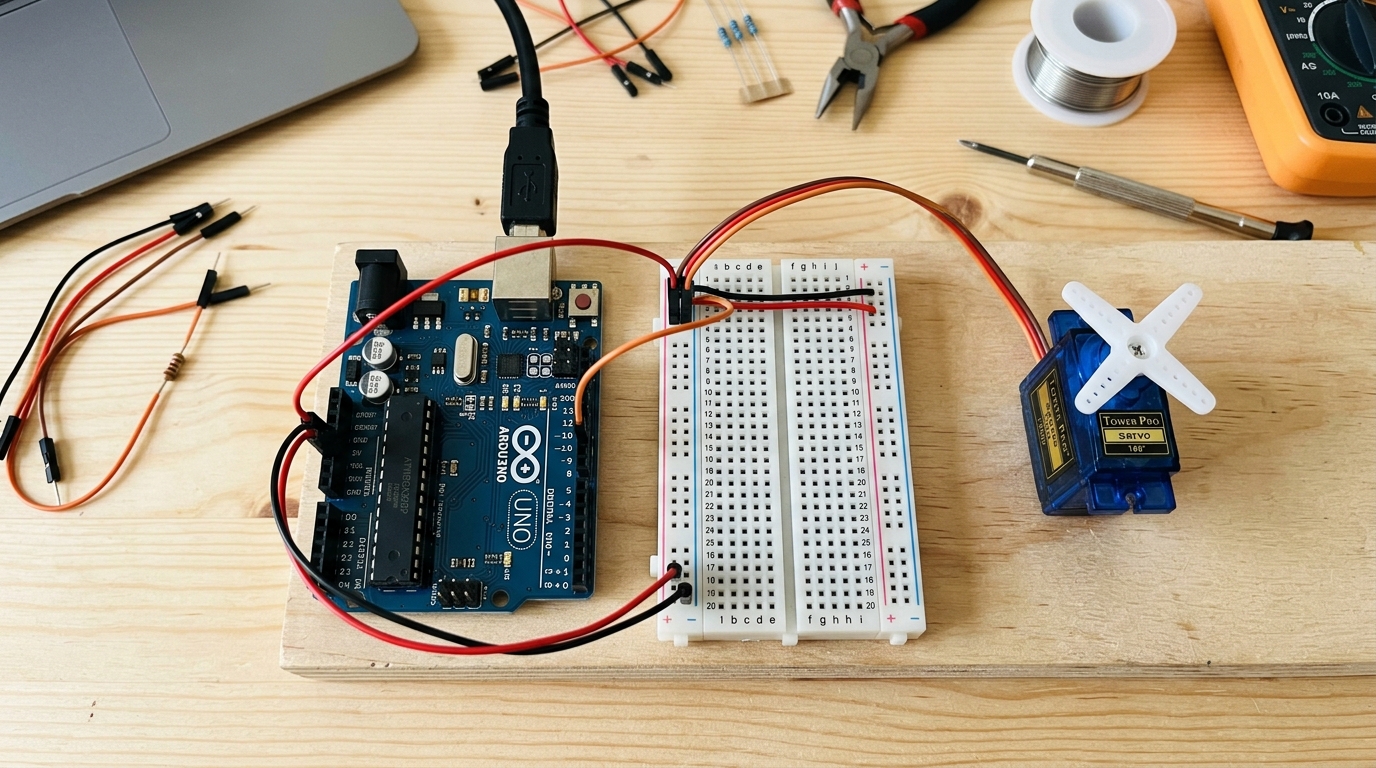 Micro servos like the SG90 are inexpensive and easy to program for precise angular movement.
What is a Servo Motor?
Unlike a standard DC motor that just spins continuously when you apply power, a standard servo motor is designed for precision. You can tell it to move to a specific angle (usually between 0 and 180 degrees), and it will hold that position.
Inside the plastic casing, a servo contains:
- A small DC motor.
- A gearbox to slow down the motor and increase torque (strength).
- A potentiometer (variable resistor) attached to the output shaft to measure the current angle.
- A tiny circuit board that listens to the Arduino and adjusts the motor to reach the requested angle.
[Get your projects moving with standard micro servos: SG90 Micro Servo Motor]
Wiring the SG90
Servos generally have three wires, color-coded for your convenience:
- Brown or Black: Ground (GND).
- Red: Power (5V). Note: Servos draw a lot of current. For a single micro servo, the Arduino’s 5V pin is usually okay, but for larger or multiple servos, you need an external power supply.
- Orange or Yellow: Signal. Connect this to a PWM-capable pin on your Arduino (like pin 9).
The Servo Library
Controlling the precise electrical pulses needed for a servo from scratch is tedious. Fortunately, Arduino comes with a built-in Servo.h library that makes it as easy as typing myServo.write(90); to move to 90 degrees!
Here is a simple example known as the “Sweep.” It sweeps the servo shaft back and forth between 0 and 180 degrees.
#include <Servo.h> // Include the built-in Servo library

Servo myServo;  // Create a servo object to control our motor
                // You can create up to 12 servo objects on most boards

int pos = 0;    // Variable to store the servo position

void setup() {
  myServo.attach(9);  // Attach the servo on pin 9 to the servo object
}

void loop() {
  // Sweep from 0 degrees to 180 degrees
  for (pos = 0; pos <= 180; pos += 1) {
    myServo.write(pos);              // Tell servo to go to position 'pos'
    delay(15);                       // Wait 15ms for the servo to reach the position
  }

  // Sweep from 180 degrees back to 0 degrees
  for (pos = 180; pos >= 0; pos -= 1) {
    myServo.write(pos);              // Tell servo to go to position 'pos'
    delay(15);                       // Wait 15ms for the servo to reach the position
  }
}
Upload the code and watch the servo sweep back and forth! The delay(15) gives the mechanical gears inside the motor enough time to physically move to the requested angle before the Arduino asks it to move again. Try changing the delay to speed up or slow down the sweep.