Lesson 125: Reading Distance - Using Ultrasonic Sensors (HC-SR04)
Ever wonder how bats navigate in the dark or how modern cars aggressively beep when you’re about to back into a shopping cart? They use sound!
In this lesson, we are going to strap a pair of robotic eyeballs—actually an HC-SR04 Ultrasonic Sensor—to our Arduino. It bounces high-frequency sound waves off objects to measure distance, proving once and for all exactly how far away your coffee mug is.
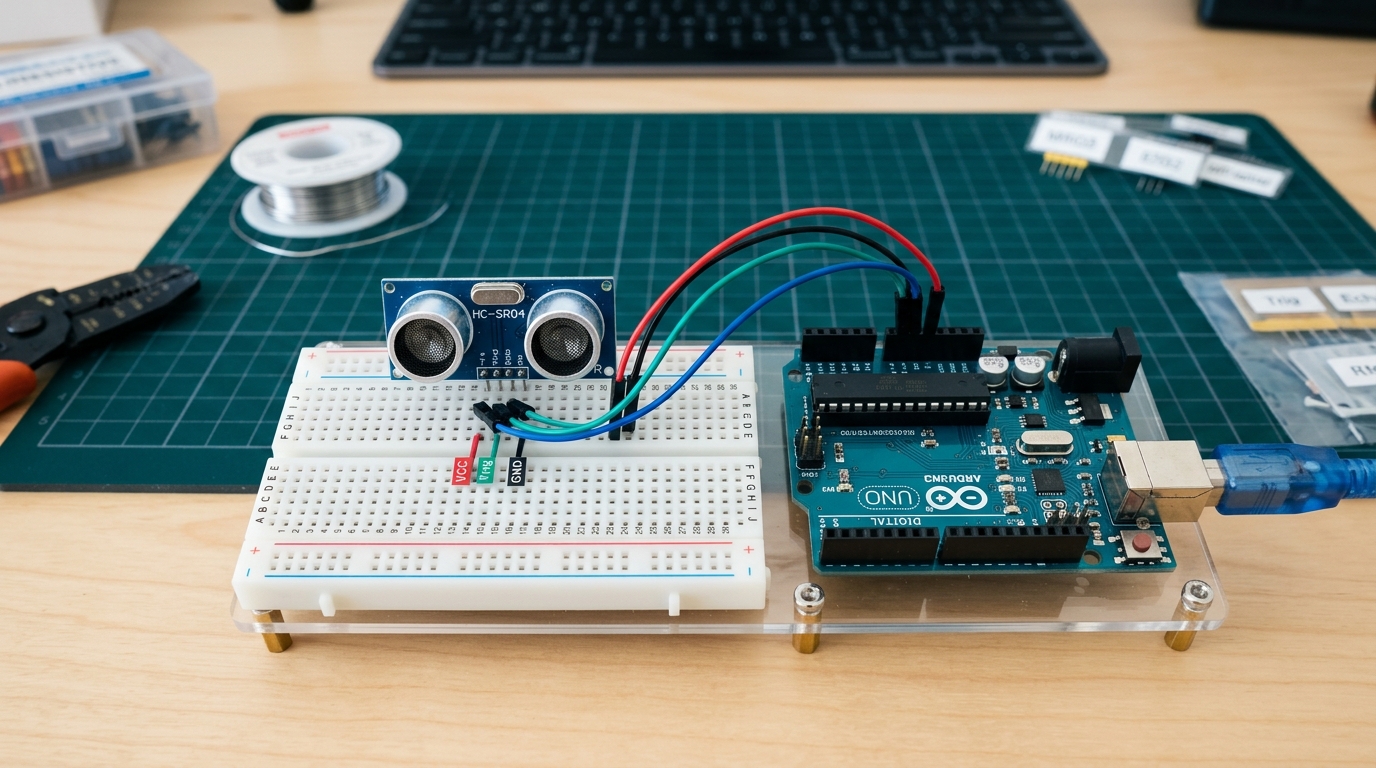 The HC-SR04 uses sound waves beyond human hearing to measure distance with surprising accuracy.
How Does It Work?
The HC-SR04 has two main circular components that look like tiny speakers. One is a Transmitter (Trig), and the other is a Receiver (Echo).
- The Arduino sends a short pulse to the Trig pin.
- The transmitter emits a high-frequency sound wave (ultrasonic).
- The sound wave travels through the air, hits an object, and bounces back.
- The receiver catches the returning echo and signals the Arduino.
By measuring the time it took for the sound to travel out and back, and knowing the speed of sound in air (roughly 343 meters per second), we can calculate the exact distance to the object!
[Grab an HC-SR04 ultrasonic sensor for your next distance-measuring project right here: HC-SR04 Ultrasonic Sensor]
Wiring It Up
The HC-SR04 has 4 pins:
- VCC: Connect to 5V on the Arduino.
- GND: Connect to GND on the Arduino.
- Trig: Connect to digital pin 9.
- Echo: Connect to digital pin 10.
Note: You can use other digital pins, but 9 and 10 are standard for most examples.
Writing the Code
To get the distance, we need to trigger the sensor, measure the pulse length on the Echo pin, and do a quick math calculation. Here is the complete code to print the distance in centimeters to the Serial Monitor:
// Define the pins for the HC-SR04
const int trigPin = 9;
const int echoPin = 10;

// Variables for the duration of the echo and the calculated distance
long duration;
int distanceCm;

void setup() {
  pinMode(trigPin, OUTPUT); // Sets the trigPin as an Output
  pinMode(echoPin, INPUT);  // Sets the echoPin as an Input

  Serial.begin(9600); // Starts the serial communication
}

void loop() {
  // Clear the trigPin to ensure a clean pulse
  digitalWrite(trigPin, LOW);
  delayMicroseconds(2);

  // Trigger the sensor by setting the trigPin HIGH for 10 microseconds
  digitalWrite(trigPin, HIGH);
  delayMicroseconds(10);
  digitalWrite(trigPin, LOW);

  // Read the echoPin, which returns the sound wave travel time in microseconds
  duration = pulseIn(echoPin, HIGH);

  // Calculate the distance (Speed of sound = 343m/s or 0.0343 cm/µs)
  // Divide by 2 because the sound travels out AND back
  distanceCm = duration * 0.034 / 2;

  // Print the distance to the Serial Monitor
  Serial.print("Distance: ");
  Serial.print(distanceCm);
  Serial.println(" cm");

  delay(100); // Wait a bit before taking the next reading
}
Upload this code, open your Serial Monitor (set to 9600 baud), and move your hand back and forth in front of the sensor. You should see the distance changing in real-time!
Next Steps
In the next lesson, we will move from sensing the environment to physically interacting with it using servo motors!