Lesson 124: Making Some Noise - Creating Sounds with Piezo Buzzers
Blinking lights are great, but sometimes you really, desperately need to annoy everyone in a 50-foot radius. Maybe you need to signal an error, or just play an 8-bit victory tune to celebrate your code compiling.
In this lesson, we’ll learn how to generate terrible, piercing sounds using a simple component called a piezo buzzer. Apologize to your roommates now.
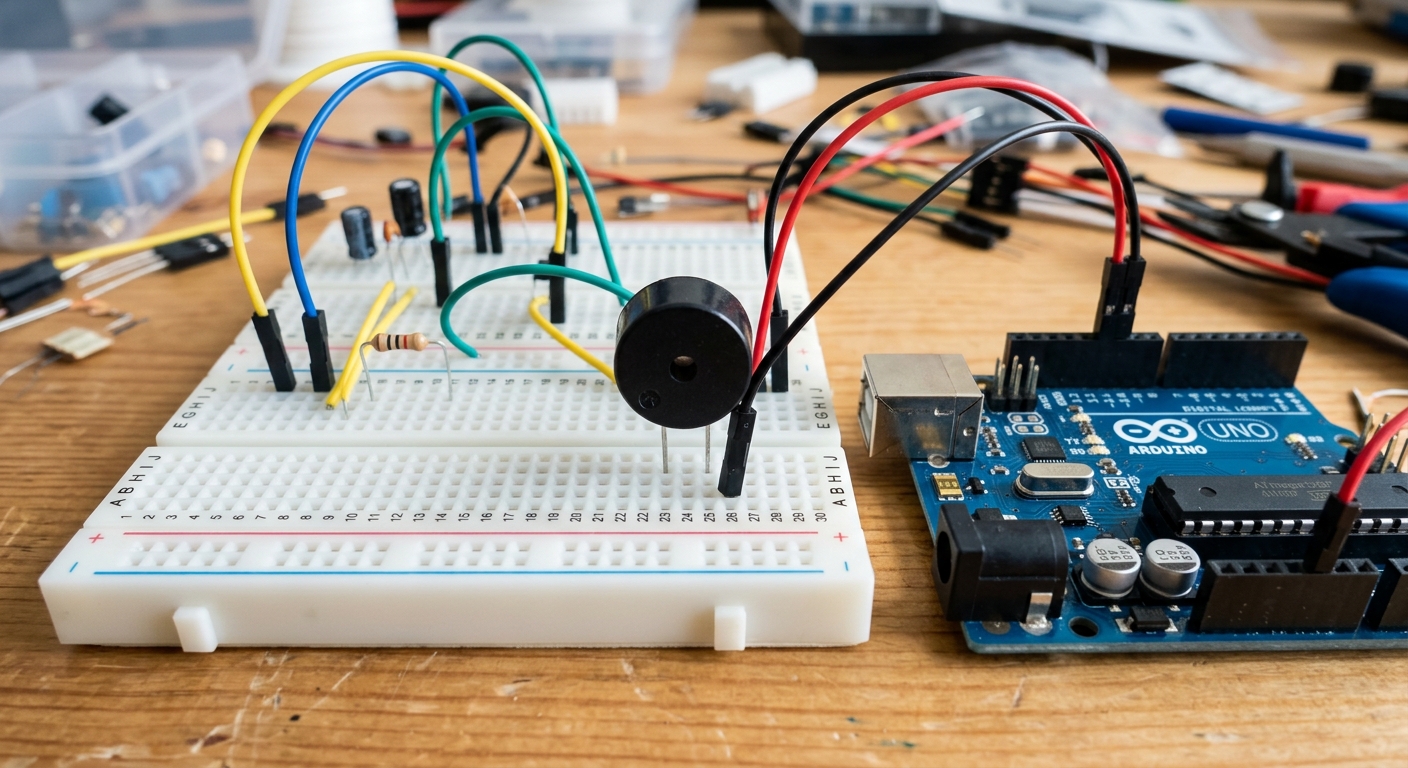 Piezo buzzers are small, cheap, and surprisingly loud components for adding audio feedback.
What is a Piezo Buzzer?
A piezo buzzer contains a special crystal that changes shape when electricity is applied to it. If you apply a voltage, it bends. If you remove the voltage, it snaps back. By rapidly turning a pin HIGH and LOW, we make the crystal vibrate back and forth, creating sound waves in the air.
There are two main types of buzzers:
- Active Buzzers: These have built-in oscillators. Just give them 5V and they emit a constant, annoying beep. Great for simple alarms.
- Passive Buzzers: These act like tiny speakers. You have to provide the oscillating signal yourself, which means you can control the pitch and play actual notes! We’ll be using a passive buzzer today.
[Stock up on passive piezo buzzers for alarms, alerts, and 8-bit melodies here: passive piezo buzzers]
Wiring It Up
Piezo buzzers are very low-current devices, so we can drive them directly from an Arduino digital pin.
- Connect the Positive (+) pin of the buzzer (usually the longer leg) to Digital Pin 8.
- Connect the Negative (-) pin (shorter leg) to GND.
Tip: If your buzzer doesn’t have a long leg, look for a small (+) sign engraved on the top plastic casing.
Generating a Tone
We could write a loop to rapidly turn the pin HIGH and LOW ourselves, but Arduino has a built-in function specifically for making noise: tone().
The tone() function takes three arguments:
- The pin number.
- The frequency (pitch) in Hertz.
- The duration in milliseconds (optional).
Let’s test it out:
int buzzerPin = 8;

void setup() {
  pinMode(buzzerPin, OUTPUT);
}

void loop() {
  // Play a 440Hz tone (Middle A) for 500 milliseconds
  tone(buzzerPin, 440, 500);
  delay(1000); // Wait a full second before playing again
}
Upload this code, and you should hear a steady beep once a second. The delay() needs to be longer than the tone duration, otherwise the Arduino will try to restart the note before it finishes!
Changing the Pitch
By changing the frequency number, you change the note. Let’s make a simple two-tone siren:
int buzzerPin = 8;

void setup() {
  pinMode(buzzerPin, OUTPUT);
}

void loop() {
  tone(buzzerPin, 800, 300); // High pitch
  delay(300);
  tone(buzzerPin, 600, 300); // Low pitch
  delay(300);
}
What’s Next?
You can look up the frequencies for musical notes to play real songs (like the Super Mario theme!). Try combining the PIR motion sensor from Lesson 123 with the piezo buzzer to create a fully functional security alarm that triggers an audible siren when someone walks into your room.